
Online Customer Offers easy to share and track
Share your professional PV offers via a single link. Customers can review and confirm online, while you stay in control, save time, and improve conversion.
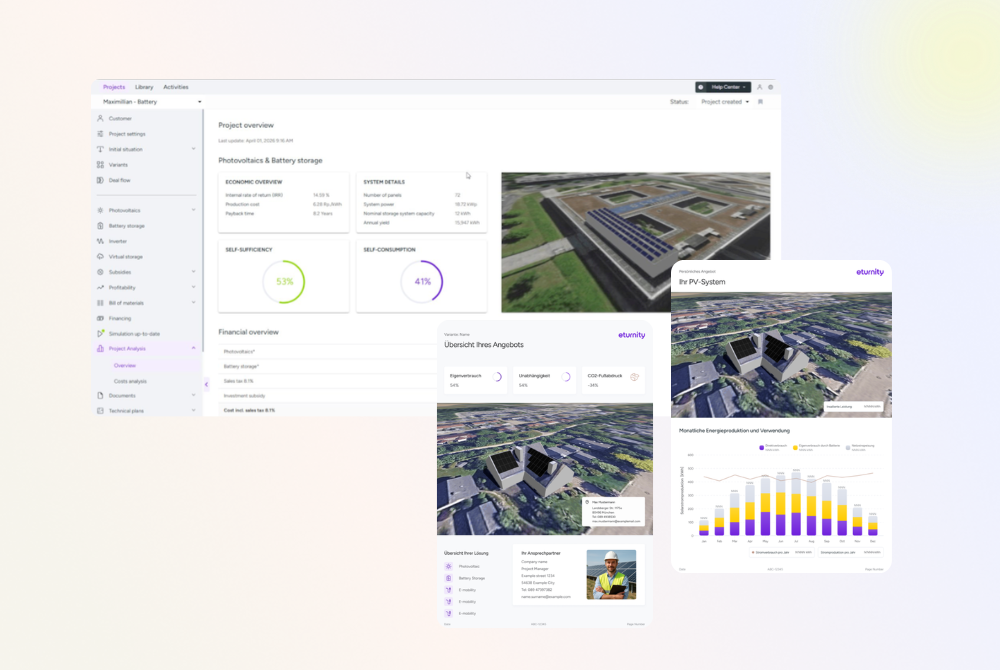
From PDFs to Online Offers
PDF‑only offers are slow, static, and hard to track. You don’t know when a customer views them, follow‑ups are manual, and the sales flow often breaks outside the platform. Online Offers replace PDFs with a faster, digital alternative: share branded solar offers in minutes, track engagement, withdraw or update instantly, and automatically expire offers. All directly within your existing workflow.
Why Installers use it
What you get

Less manual effort
One digital workflow instead of PDFs, emails, and disconnected steps.

Higher customer conversion
Know exactly when an offer is opened and follow up at the right moment.

Professional customer experience
Responsive, branded, mobile‑ready offers with optional online confirmation.

Safe, stable, and compliant
Version‑locked offers, automatic expiration, withdraw anytime.
How To
Generate Online Offers
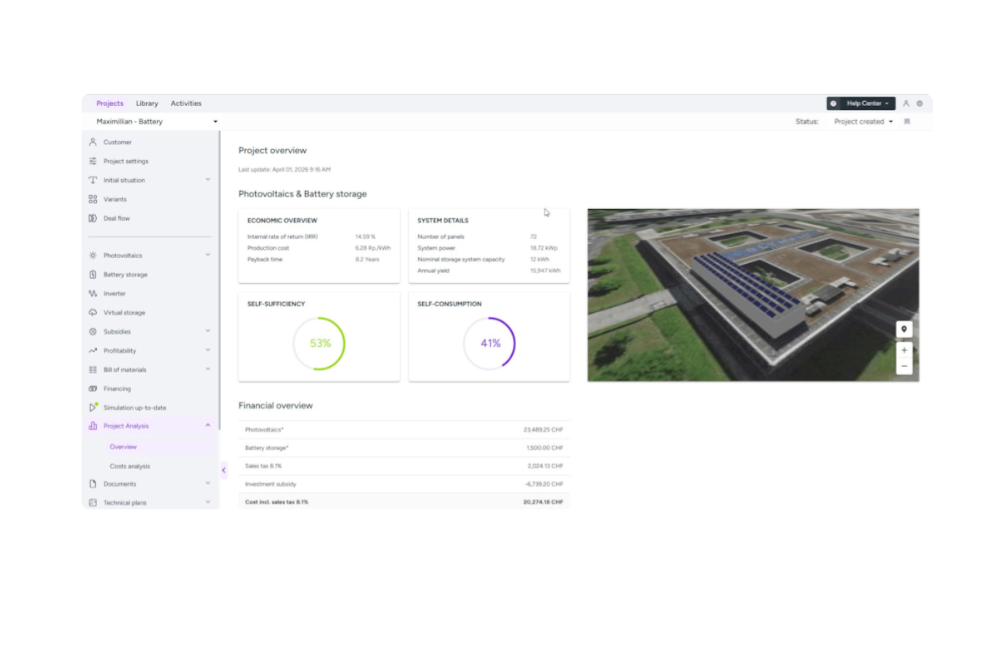
1. Define the offer variant
Create and configure the variant you want to send, including all relevant details such as PV system, battery, heating, or other components. This defines the exact content of the offer.
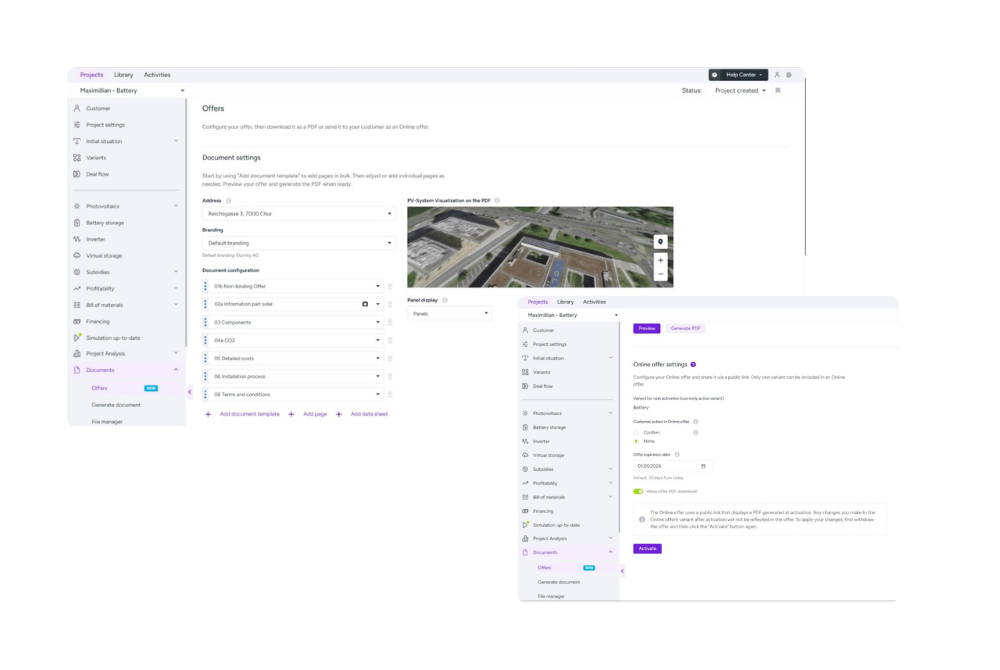
2. Set up and activate the offer
Adjust the offer settings and activate it. The offer content is validated and locked at activation. Any later changes to the variant will not appear in the active Online Offer unless it is withdrawn and re‑activated.
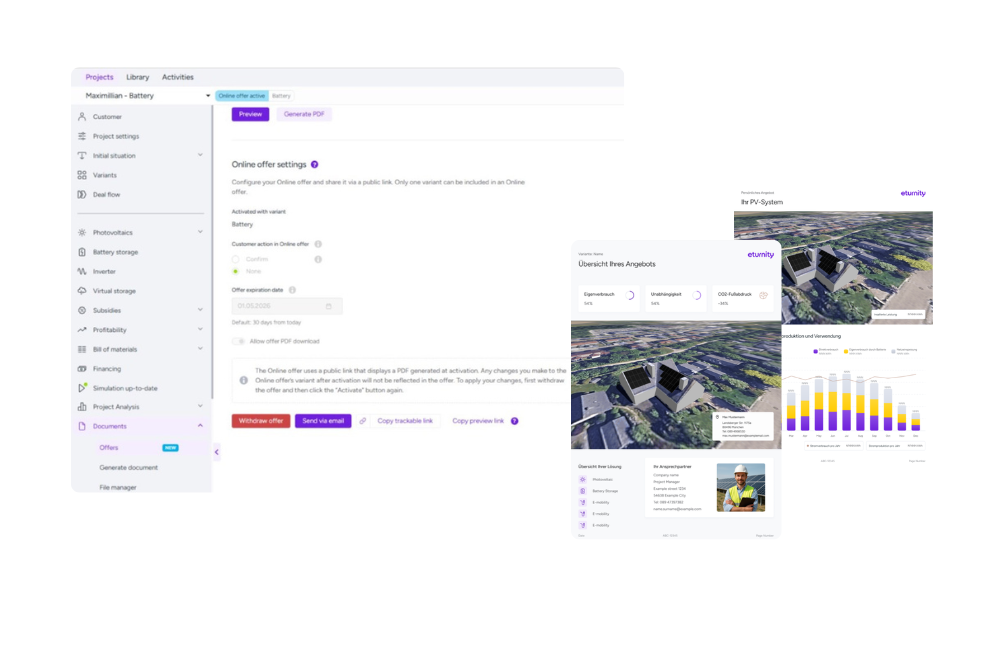
3. Preview and validate
Preview the offer before sharing it to ensure everything is correct. This step helps avoid mistakes and ensures the customer sees exactly what you intend.
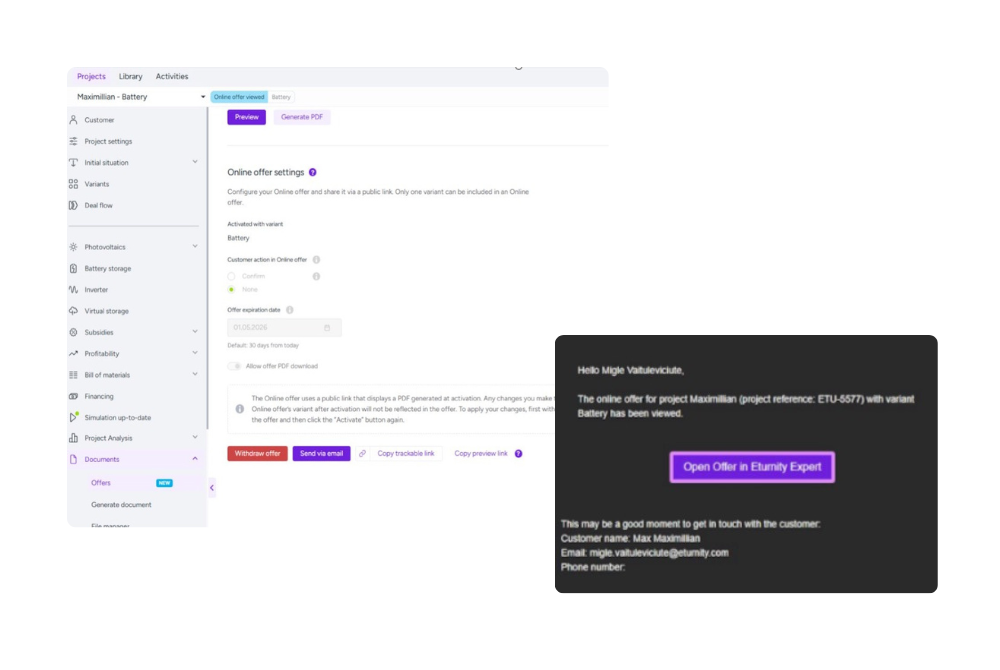
4. Share the Online Offer
Share the offer using the generated trackable link. You can send it via your email provider with a predefined template that you can fully edit, or copy the link and share it through any channel you prefer.
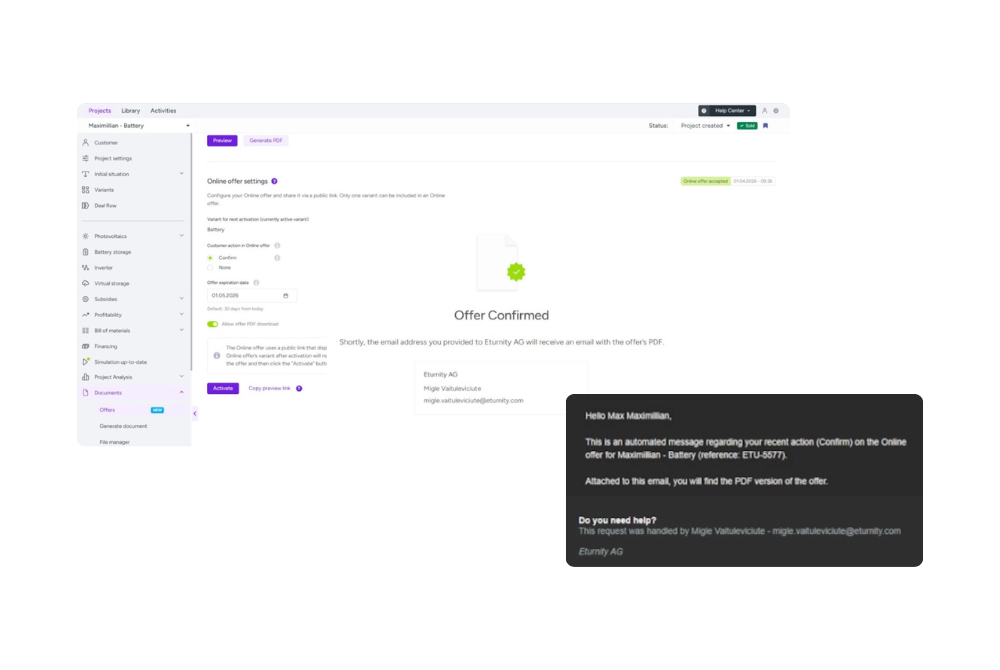
5. Track engagement and close deals
You are automatically informed by email when the customer opens the Online Offer for the first time, and the offer status is updated. The customer can confirm the offer digitally, and both you and the customer receive a confirmation email, ensuring a clear and traceable deal closure.
Try Online Offers now
You can activate Online Offers directly in any project by going to
Documents → Offer → Activate Online Offer
It’s already included in your license, and if you’re not yet using Eturnity, you can try it yourself with a free trial.